
 liuyifan
bf5f824ae7
刷新
liuyifan
bf5f824ae7
刷新
|
5 anni fa | |
|---|---|---|
| .. | ||
| build | 5 anni fa | |
| config | 5 anni fa | |
| src | 5 anni fa | |
| static | 5 anni fa | |
| .babelrc | 5 anni fa | |
| .editorconfig | 5 anni fa | |
| .eslintignore | 5 anni fa | |
| .eslintrc.js | 5 anni fa | |
| .gitignore | 5 anni fa | |
| .postcssrc.js | 5 anni fa | |
| .travis.yml | 5 anni fa | |
| LICENSE | 5 anni fa | |
| README-zh.md | 5 anni fa | |
| README.md | 5 anni fa | |
| debug.log | 5 anni fa | |
| hyicon.ico | 5 anni fa | |
| hyicon1.ico | 5 anni fa | |
| index.html | 5 anni fa | |
| package.json | 5 anni fa | |
| v6.0打包发布.md | 5 anni fa | |
README.md
vue-admin-template
A minimal vue admin template with Element UI & axios & iconfont & permission control & lint
Live demo: http://panjiachen.github.io/vue-admin-template
Build Setup
# Clone project
git clone https://github.com/PanJiaChen/vue-admin-template.git

# Install dependencies
npm install

# Serve with hot reload at localhost:9528
npm run dev

# Build for production with minification
npm run build

# Build for production and view the bundle analyzer report
npm run build --report
Demo

Extra
If you want router permission && generate menu by user roles , you can use this branch permission-control
This project is based on webpack4 development. If you want to use webpack3 development, please use this branch webpack3
For typescript version, you can use vue-typescript-admin-template (Credits: @Armour)
Related Project
Element-Ui using cdn tutorial
First find index.html(root directory)
Import css and js of Element, and then import vue. Because Element is vue-dependent, vue must be import before it.
Then find webpack.base.conf.js
Add externals to make webpack not package vue and element.
externals: {
  vue: 'Vue',
  'element-ui':'ELEMENT'
}
Finally there is a small detail to pay attention to that if you import vue in global, you don't need to manually Vue.use(Vuex), it will be automatically mounted, see
issue
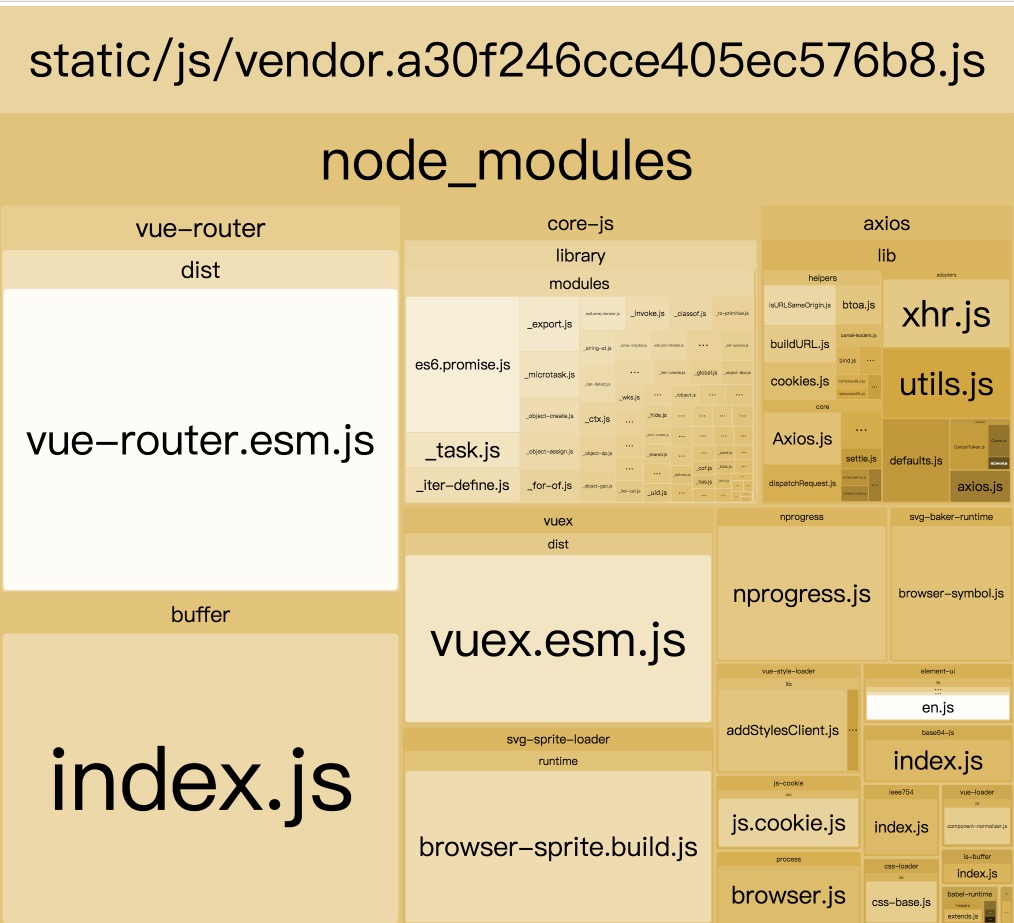
And you can use npm run build --report to see the effect
Pictured:
Browsers support
Modern browsers and Internet Explorer 10+.
 IE / Edge IE / Edge |
 Firefox Firefox |
 Chrome Chrome |
 Safari Safari |
|---|---|---|---|
| IE10, IE11, Edge | last 2 versions | last 2 versions | last 2 versions |
License
MIT license.
Copyright (c) 2017-present PanJiaChen